Top 5 compared
The best gaming mice
Quicker, steadier aim and extra buttons where your thumb rests, in a shape that fits the hand.
60 checked · 5 made the cut

As an Amazon Associate we earn from qualifying purchases. It costs you nothing extra. How this works
The top 5 at a glance

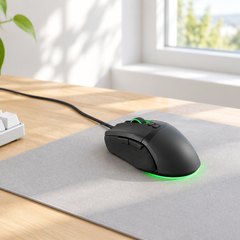

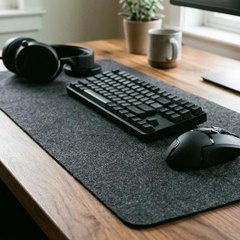
A gaming mouse is an ordinary mouse built for speed and control: a sharper sensor, switches that click cleanly, and extra buttons for the things pressed most often. Light mice suit fast shooters, where aim is all quick flicks; bigger, heavier ones with more buttons suit strategy games and MMOs.
Wireless used to mean lag, but the wireless mice here use receivers made for games and run on an AA battery or a rechargeable one, while wired mice never need charging. Most are shaped for a right hand, or put their side buttons where a right thumb finds them. Buttons, sensitivity steps and lighting are usually set in the maker’s software, and not all of it runs on a Mac.
What matters
- A shape made for the hand you use, right or left.
- Programmable side buttons within easy reach of the thumb.
- Button software that runs on your computer, Windows or Mac.

#1Logitech G305 LIGHTSPEED Wireless Gaming Mouse
$20–$30
- 250 hours on one AA
- Wireless with a gaming receiver
- Software for Windows and Mac
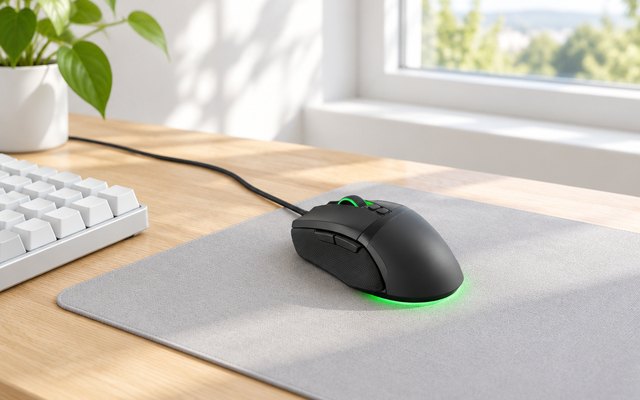
LIGHTSPEED wireless with a 1ms response and a 12,000 DPI HERO sensor, in a light, compact mouse that runs up to 250 hours on one AA battery. The receiver stores inside it, so it travels with a laptop without getting lost. Logitech began in 1981 in the Swiss village of Apples.
What owners say: Owners find it comfortable through long sessions, with a weight that feels right, and many have yet to change the battery. Some report lag, though, and a few have had the left button start double-clicking.
A closer look: Switch on Endurance mode in Logitech G HUB and the same AA lasts up to nine months, handy if it doubles as an everyday mouse. The small shell suits a claw or fingertip grip best, and anyone who rests the whole palm on a mouse may prefer a right-handed shape with a thumb rest, like the Basilisk.
Best for: Months on one battery
- Connection
- Wireless (USB receiver)
- Power
- 1 AA, up to 250 hrs
- Programmable buttons
- 6
- Side buttons
- 2
- Weight
- 3.5 oz
- Hand
- Symmetrical, buttons on left
- Software runs on
- Windows and Mac
#2Razer Basilisk V3 Wired Gaming Mouse
$30–$50
- 11 programmable buttons
- Free-spinning tilt scroll wheel
- Rated for 70 million clicks
Eleven programmable buttons, including a trigger under the thumb, and a built-in thumb rest. The scroll wheel free-spins through long pages or clicks notch by notch for switching weapons, and the optical switches under the main buttons are rated for 70 million clicks.
What owners say: The thumb rest and well-placed buttons keep long sessions comfortable. The scroll wheel is the mixed point, with some finding it scrolls by itself, and a few had the mouse break within weeks.
A closer look: Put shortcuts such as push-to-talk or a ping on the thumb buttons; the lighting reacts to over 150 games that support Razer Chroma. Buttons, DPI steps and lighting are set in the Razer Synapse app, and Razer suggests switching off Windows’ Enhance pointer precision setting for steadier aim.
Best for: Scrolling sideways
- Connection
- Wired
- Power
- USB cable
- Programmable buttons
- 11
- Side buttons
- 3
- Weight
- 3.6 oz
- Hand
- Right-handed
- Software runs on
- Windows only
#3Redragon M612 Wired RGB Gaming Mouse
$10–$20
- 11 programmable buttons
- Dedicated rapid-fire key
- Rubber grip on thumb side
- Heavy at 4.4 oz
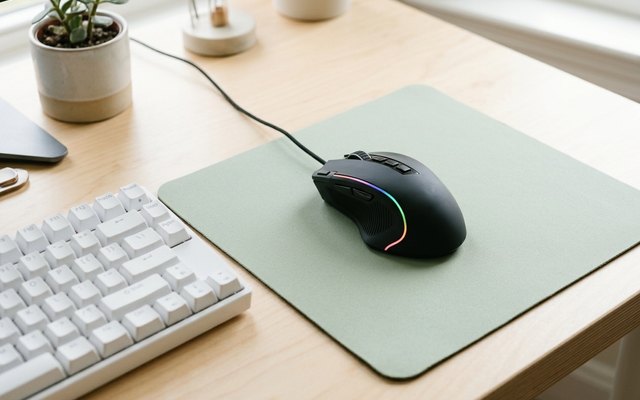
A rapid-fire key is one of its eleven programmable buttons, with room for a set of hotkeys in an MMO or a strategy game. The claw-grip shape has a frosted, fingerprint-free top and rubber on the thumb side for a sure hold.
What owners say: Comfortable to hold and fun to light up, with buttons to spare. Not every one lasts: some still work fine after a year, while others developed random clicks or failed within months.
A closer look: The five DPI steps come set between 500 and 4,000; Redragon’s free software unlocks anything up to 8,000 and remaps every button, side macro buttons included. It’s shaped for right hands and a claw grip, where the fingertips arch over the buttons rather than lying flat.
Best for: Rapid fire
- Connection
- Wired
- Power
- USB cable
- Programmable buttons
- 11
- Side buttons
- 2
- Weight
- 4.4 oz
- Hand
- Right-handed
- Software runs on
- Windows only
#4Logitech G502 LIGHTSPEED Wireless Gaming Mouse
$75–$100
- 11 programmable buttons
- Six adjustable weights included
- Rechargeable, no batteries to buy
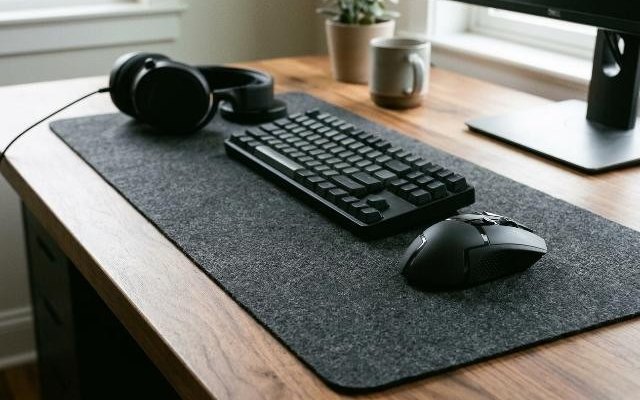
The cable-free version of Logitech’s wired G502: 11 programmable buttons, a hyper-fast scroll wheel for racing through menus and long pages, and six small weights in the box to tune the feel, on the same LIGHTSPEED wireless as the G305.
What owners say: It sits well in the hand, owners say, and the weights in the box are a nice touch for getting the balance right. Battery life and the price divide them, and the button feel suits some better than others.
A closer look: Logitech quotes up to 60 hours with the lighting off and about 48 with it on, and five minutes on the cable gives roughly two and a half hours. Start with no weights in and add them a pair at a time until the mouse feels steady; the buttons and DPI steps are set in Logitech G HUB.
Best for: Tuning the weight
- Connection
- Wireless (USB receiver)
- Power
- Rechargeable, up to 60 hrs
- Programmable buttons
- 11
- Side buttons
- 3
- Weight
- 4.0 oz (plus 0.6 oz of weights)
- Hand
- Right-handed
- Software runs on
- Windows and Mac
#5Glorious Model O Wired Gaming Mouse (matte white)
$30–$50
- Light at 2.4 oz
- Flexible paracord-style cable
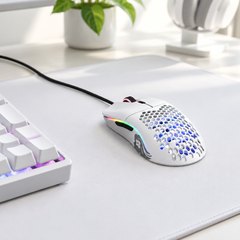
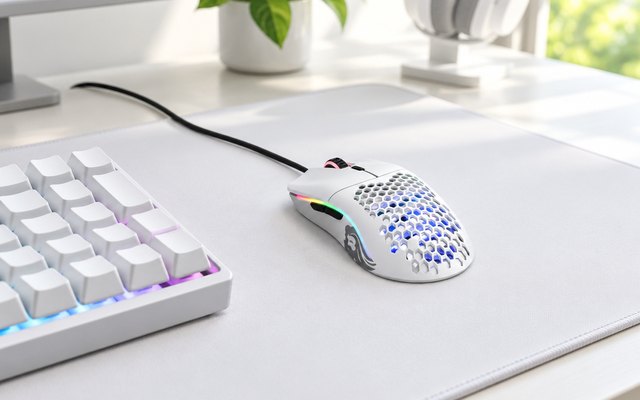
A honeycomb shell takes the weight down to 2.4 oz for fast flicks in shooters. The flexible paracord-style cable and pure PTFE feet glide with almost no drag, and the Pixart 3360 sensor tracks with no acceleration.
What owners say: Owners rate its performance very highly. Reliability is less certain, with a few reporting that the scroll wheel stopped working.
A closer look: Dust can get in through the open honeycomb shell, so a soft brush and a puff of compressed air every so often keep it clean. Glorious shapes it for medium and large hands; it’s symmetrical, with the side buttons on the left, where a right hand’s thumb finds them.
Best for: Light in the hand
- Connection
- Wired
- Power
- USB cable
- Programmable buttons
- 6
- Side buttons
- 2
- Weight
- 2.4 oz
- Hand
- Symmetrical, buttons on left
- Software runs on
- Windows only
Side by side
How they compare
Swipe sideways or rotate device to see all 5.
| Feature | #1Logitech G305 | #2Razer Basilisk V3 | #3Redragon M612 | #4Logitech G502 LIGHTSPEED | #5Glorious Model O |
|---|---|---|---|---|---|
| Best overall | Best budget | ||||
| Picked Rating | 9.2 | 9.1 | 9.0 | 9.0 | 9.0 |
| Price | $20–$30 | $30–$50 | $10–$20 | $75–$100 | $30–$50 |
| Connection | Wireless (USB receiver) | Wired | Wired | Wireless (USB receiver) | Wired |
| Power | 1 AA, up to 250 hrs | USB cable | USB cable | Rechargeable, up to 60 hrs | USB cable |
| Programmable buttons | 6 | 11 | 11 | 11 | 6 |
| Side buttons | 2 | 3 | 2 | 3 | 2 |
| Weight | 3.5 oz | 3.6 oz | 4.4 oz | 4.0 oz (plus 0.6 oz of weights) | 2.4 oz |
| Hand | Symmetrical, buttons on left | Right-handed | Right-handed | Right-handed | Symmetrical, buttons on left |
| Software runs on | Windows and Mac | Windows only | Windows only | Windows and Mac | Windows only |
| Best for | Months on one battery | Scrolling sideways | Rapid fire | Tuning the weight | Light in the hand |
| Buy now | Amazon | Amazon | Amazon | Amazon | Amazon |
How we checked these
How 60 became 5
We found 60 gaming mouse listings. One was the same mouse in another color, and 43 were rated too low and/or had too few ratings or sales to compete. One showed no price when we searched. That left 15, which we narrowed down step by step:
- Ratings, reviews and salesFor the 15, we then checked the ratings and reviews further, and how many people buy each one. Owners talked most about how long they last, then the buttons and clicks, comfort and value for money. After these checks, we dropped six more.9 left
- Features weighed upThe nine left were compared on how they connect, how they’re powered, programmable buttons, side buttons, weight, which hand they suit and which computers their software runs on. Once everything was weighed up together, we dropped four more.5 made the cut
- Value for moneyEvery gaming mouse here is worth what it costs. A dearer one is only here if it gives you more.
- Safe to buyEvery brand on this list was checked for safety recalls, and none of them has one on record.
Spotted a mistake or something out of date? Tell usBack to top


