Top 5 compared
The best USB microphones
Sound clear on work calls, game chat, streams and podcasts, with a mic that plugs straight into your computer.
35 checked · 5 made the cut
As an Amazon Associate we earn from qualifying purchases. It costs you nothing extra. How this works
The top 5 at a glance

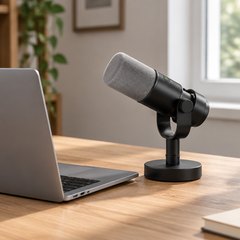
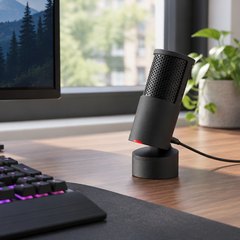
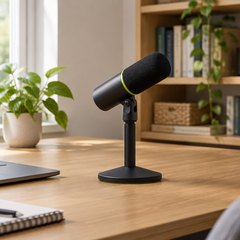
A USB microphone plugs into a computer’s USB port and sits on the desk or a boom arm, close to the mouth. A laptop’s built-in mic hears the keyboard, the fan and the echo off the walls; a mic up close hears mostly you. Condenser mics are sensitive and catch fine detail, while dynamic mics mostly hear what’s right in front of them.
That makes a condenser the natural pick for a quiet room, and a dynamic mic the better bet for a busy house or a clacky keyboard. A headphone jack on the mic lets you hear yourself as you talk, which makes getting the level right much easier. Only FIFINE’s K688 adds XLR, for an audio interface or mixer later on.
What matters
- Mute and gain on the mic itself, not only in an app.
- A shock mount and pop filter, built in or in the box.
- A standard thread, so it fits a boom arm or mic stand.
#1Logitech for Creators Blue Yeti USB Microphone
$100–$150
- Four pickup patterns
- Headphone jack with volume control
- On-mic mute and gain
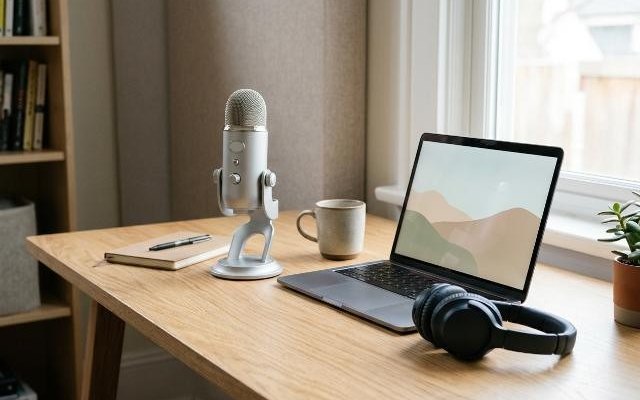
Three capsules inside give it four pickup patterns: cardioid for one voice, bidirectional for two people facing each other across a table, omni for a group around it, and stereo for music. Headphone volume, pattern, mute and gain are all on the mic.
What owners say: Podcasting, streaming and recording music all come up, with sound clear enough to catch every little noise. That cuts both ways: some hear almost no background, others far too much, and a few had one break after about seven months.
A closer look: Speak into the side of the mic, not the top: the Yeti hears from the front, where the logo is. For a two-person interview, set it to bidirectional and sit either side of it; alone in a noisy room, cardioid hears the least of the room. It also screws onto a standard mic stand or boom arm.
Best for: Recording several voices
- Type
- Condenser
- Connection
- USB (Mini-USB)
- Headphone jack
- Yes
- Mute button
- Yes
- Gain control
- Knob on the mic
- Shock mount and pop filter
- Shock mount built in, no pop filter
- Fits a boom arm or stand
- Stand comes off
- Maker lists it for
- PC, Mac
#2FIFINE AmpliTank K688 USB/XLR Dynamic Microphone
$50–$75
- XLR output for audio interfaces
- Shock mount and windscreen included
- Headphone jack for live monitoring
- No stand in the box
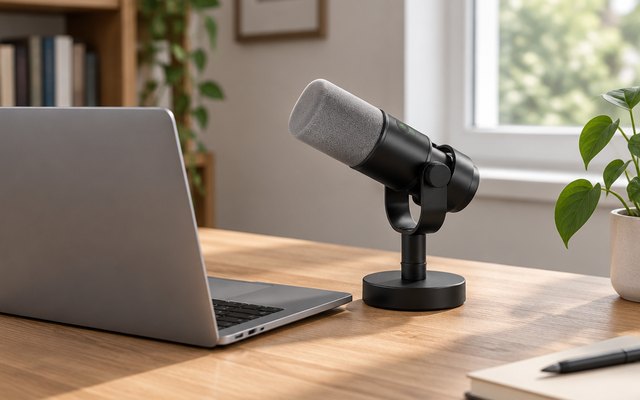
A metal-bodied dynamic mic in a shock mount, made for talking: USB-C straight into a computer now, or XLR into an audio interface or mixer later on. Its cardioid pattern favors the voice in front of it over a computer fan or a hard drive humming nearby.
What owners say: Clear sound and the choice of USB-C or XLR win owners over, and it’s ready to go straight out of the box with a solid, well-made feel. How much background noise it lets in is where opinions part.
A closer look: Keep it a few inches from the mouth and turn the gain up rather than leaning back, as dynamic mics like the speaker close. Plug headphones into the jack to hear your own voice live and set the level by ear. The mute, gain and monitoring controls work over USB only, so on XLR they’re set at the interface instead.
Best for: USB or XLR
- Type
- Dynamic
- Connection
- USB-C and XLR
- Headphone jack
- Yes
- Mute button
- Yes
- Gain control
- Knob on the mic
- Shock mount and pop filter
- Shock mount and windscreen in the box
- Fits a boom arm or stand
- 3/8 in adapter in the box
- Maker lists it for
- PC, Mac
#3TONOR TC310+ USB Microphone Kit with Boom Arm
$20–$30
- Metal boom arm included
- Pop filter and shock mount
- On-mic mute and gain
- No headphone jack
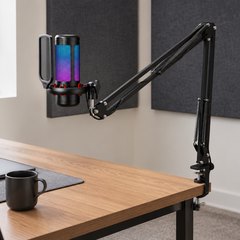
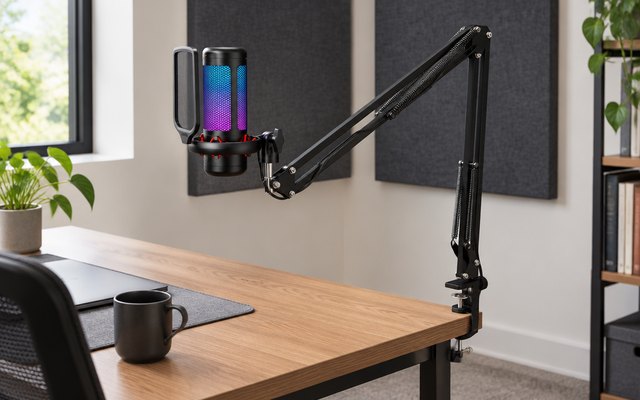
A whole streaming setup in one box: a condenser mic with RGB lights, a shock mount, a pop filter and a metal boom arm that clamps to the desk. Tap the top to mute, and turn it to change the gain.
What owners say: Owners call it an excellent first mic with clear sound, and like the sturdy arm, the RGB lights and the tap-to-mute; it’s sensitive enough to pick up a desk fan.
A closer look: The arm’s clamp fits desks up to 2.36 in thick, and its joints let the mic swing in close under the monitor and back out of shot. Long-press the lighting button to dim the RGB for late-night streams, and keep the mic a hand’s width from the mouth.
Best for: Comes with a boom arm
- Type
- Condenser
- Connection
- USB-C
- Headphone jack
- No
- Mute button
- Yes
- Gain control
- Turn the top of the mic
- Shock mount and pop filter
- Shock mount and pop filter in the box
- Fits a boom arm or stand
- Boom arm in the box
- Maker lists it for
- PC, Mac, PS4, PS5
#4HyperX SoloCast 2 USB Condenser Microphone
$30–$50
- Records at 24-bit/96kHz
- Built-in pop filter, shock mount
- Tap-to-mute with a live light
- No headphone jack
- Gain only in HyperX’s app
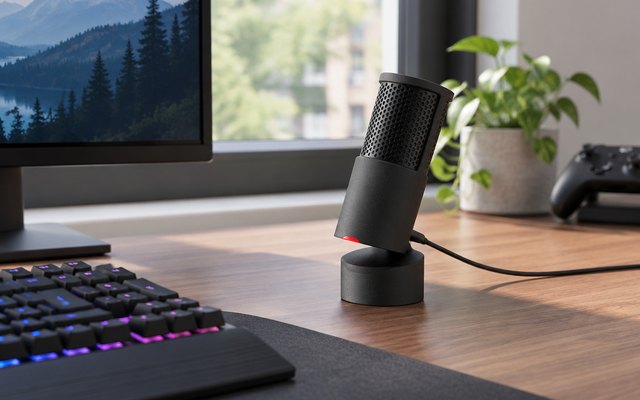
Everything is tucked inside: a foam pop filter to soften hard ‘p’ sounds and an internal shock mount against desk knocks, so it sits neatly on a gaming desk. It records at 24-bit/96kHz.
What owners say: Voices come through full, rounded and clear, owners say, and it’s compact and works as soon as it’s plugged in. The tap-to-mute gets a mention for being quick to respond.
A closer look: The red light means it’s live and goes out when muted, so a glance shows whether the squad can hear you. Gain and the sound filters are set in HyperX’s free NGENUITY app on a PC; there’s no headphone jack on the mic itself.
Best for: Highest-resolution recording
- Type
- Condenser
- Connection
- USB-C
- Headphone jack
- No
- Mute button
- Yes
- Gain control
- In HyperX’s app
- Shock mount and pop filter
- Shock mount and pop filter built in
- Fits a boom arm or stand
- 3/8 and 5/8 in threads
- Maker lists it for
- PC, Mac, PS4, PS5
#5Shure MV6 USB Gaming Microphone
$150–$200
- Automatic level control
- Real-time noise reduction
- Works with select phones, tablets
- Newer MV6 Gen 2 out
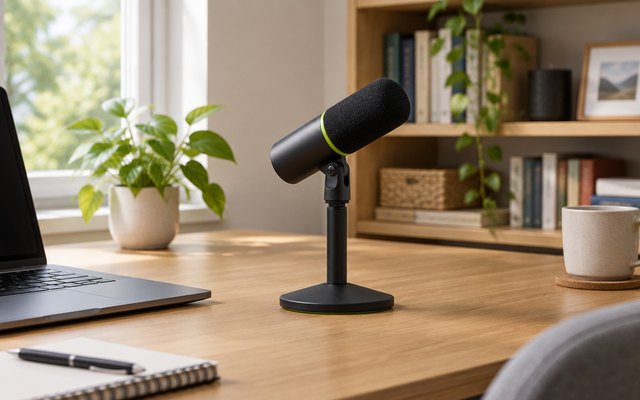
Auto Level Mode adjusts the volume in real time, so a shout in a boss fight and a mumble in the lobby come out at much the same level. Shure’s dynamic mics have pedigree: engineer Bruce Swedien said he recorded most of Michael Jackson’s big hits on a Shure SM7.
What owners say: Crisp, clear sound for games, streams and vocals, and it’s plug-and-play on a PC or a console. Noise rejection splits owners, with some still hearing their room, and the USB-C cable in the box is on the short side.
A closer look: Shure’s free MOTIV Mix app balances game sound against your own voice in the headphones, and can record too. It connects by USB-C to PCs and Macs, and to select Android and Apple phones and tablets.
Best for: Keeping your volume even
- Type
- Dynamic
- Connection
- USB-C
- Headphone jack
- Yes
- Mute button
- Yes
- Gain control
- Automatic (Auto Level)
- Shock mount and pop filter
- Digital pop filter, no shock mount in the box
- Fits a boom arm or stand
- Yes
- Maker lists it for
- PC, Mac, select Apple and Android devices
Side by side
How they compare
Swipe sideways or rotate device to see all 5.
| Feature | #1Blue Yeti | #2FIFINE K688 | #3TONOR TC310+ | #4HyperX SoloCast 2 | #5Shure MV6 |
|---|---|---|---|---|---|
| Best overall | Best budget | ||||
| Picked Rating | 9.2 | 9.1 | 9.0 | 8.9 | 8.8 |
| Price | $100–$150 | $50–$75 | $20–$30 | $30–$50 | $150–$200 |
| Type | Condenser | Dynamic | Condenser | Condenser | Dynamic |
| Connection | USB (Mini-USB) | USB-C and XLR | USB-C | USB-C | USB-C |
| Headphone jack | Yes | Yes | No | No | Yes |
| Mute button | Yes | Yes | Yes | Yes | Yes |
| Gain control | Knob on the mic | Knob on the mic | Turn the top of the mic | In HyperX’s app | Automatic (Auto Level) |
| Shock mount and pop filter | Shock mount built in, no pop filter | Shock mount and windscreen in the box | Shock mount and pop filter in the box | Shock mount and pop filter built in | Digital pop filter, no shock mount in the box |
| Fits a boom arm or stand | Stand comes off | 3/8 in adapter in the box | Boom arm in the box | 3/8 and 5/8 in threads | Yes |
| Maker lists it for | PC, Mac | PC, Mac | PC, Mac, PS4, PS5 | PC, Mac, PS4, PS5 | PC, Mac, select Apple and Android devices |
| Best for | Recording several voices | USB or XLR | Comes with a boom arm | Highest-resolution recording | Keeping your volume even |
| Buy now | Amazon | Amazon | Amazon | Amazon | Amazon |
How we checked these
How 35 became 5
We found 35 USB microphone listings. Six were the same microphone again in another color, listed again or sold in a kit, and 10 were rated too low and/or had too few ratings to compete. Two were outside what this list covers: they were gooseneck mics. That left 17, which we narrowed down step by step:
- Ratings, reviews and salesFor the 17, we then checked the ratings and reviews further, and how many people buy each one. Owners talked most about sound quality and how easy they are to set up, then background noise, how long they last and value for money. After these checks, we dropped two more.15 left
- Features weighed upThe 15 left were compared on the type of mic, how it connects, a headphone jack, a mute button, gain control, a shock mount and pop filter, whether it fits a boom arm or stand and the systems each maker lists it for. Once everything was weighed up together, we dropped 10 more. The Shure MV6 is here too because it is the only microphone on the list that adjusts its own recording level as you talk.5 made the cut
- Value for moneyEvery USB microphone here is worth what it costs. A dearer one is only here if it gives you more.
- Safe to buyEvery brand on this list was checked for safety recalls. None of these five USB microphones has one.
Spotted a mistake or something out of date? Tell usBack to top