Top 5 compared
The best printers
Forms, boarding passes, letters and homework printed at home whenever they’re needed.
63 checked · 5 made the cut

As an Amazon Associate we earn from qualifying purchases. It costs you nothing extra. How this works
The top 5 at a glance
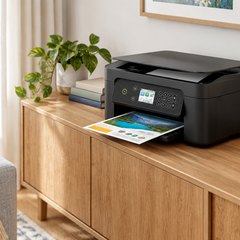
A home printer turns out a few pages at a time, sent from a phone or a laptop, rather than the stacks an office gets through. Colour inkjets print photos as well as text, and most are all-in-ones that scan and copy too. Black-and-white lasers are quicker through pages of text and use toner rather than ink, and some of those scan and copy as well.
Every printer here works over Wi-Fi and prints double-sided by itself, which halves the paper on a long document. All five print from an iPhone through AirPrint and from an Android phone through Mopria, as well as from Windows and Mac computers. What it costs to keep printing comes down to the cartridges: each maker sells its own, along with an optional ink or toner subscription that sends replacements automatically.
What matters
- A document feeder, for scanning or copying a stack of pages.
- Separate cartridges for each colour, not one tri-colour cartridge.
- XL cartridges available, for more pages from each refill.
- A paper tray that holds enough for your longest jobs.
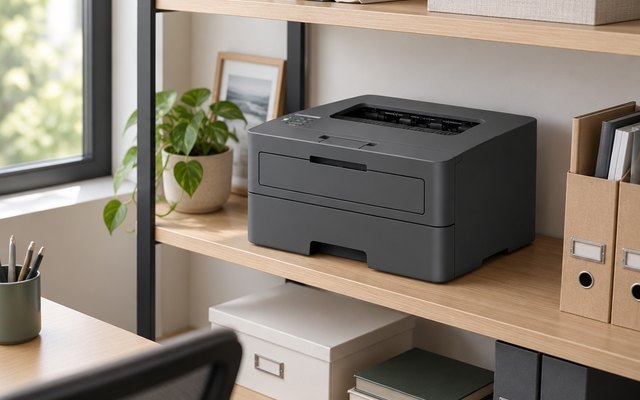
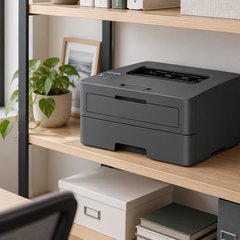
#1Brother HL-L2400DWE Mono Laser Printer
£75–£100
- Up to 30 pages a minute
- 250-sheet paper tray
- Toner won’t dry out
- Print only, no scan or copy
A quick, no-fuss black-and-white laser for letters, forms and homework: up to 30 pages a minute, both sides of the page done automatically, and a 250-sheet tray that rarely needs topping up. Toner is a powder, so it won’t dry out between jobs the way ink can.
What owners say: Owners like the crisp, sharp text and how fast double-sided pages come out, and found wireless setup straightforward. Reliability and the wireless connection are where reviews split.
A closer look: Black and white only, it suits letters, tickets, forms and homework rather than photos. The four-month EcoPro trial is optional: sign up online to have toner delivered automatically, or buy Brother’s TN2510 cartridge, or the higher-yield TN2510XL, as and when it’s needed.
Best for: Fast black-and-white pages
- Type
- Mono laser
- Functions
- Print only
- Black print speed
- 30ppm
- Document feeder
- No
- Paper tray
- 250 sheets
- Cartridges
- Black toner: TN2510
- XL cartridges
- TN2510XL
- Prints from a Chromebook
- Yes
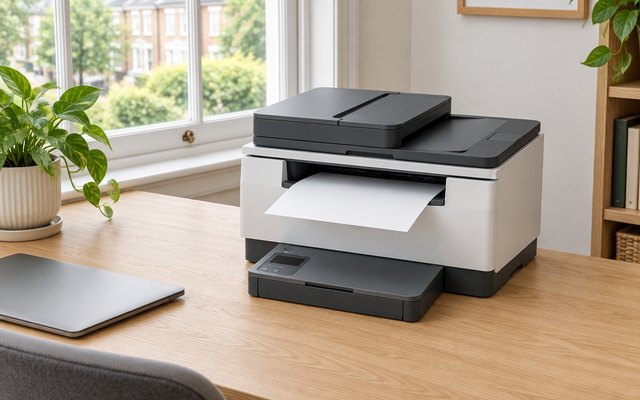
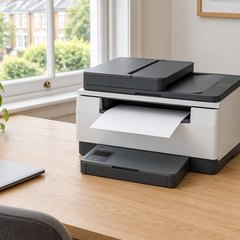
#2HP LaserJet MFP M235sdw Mono Laser All-in-One
£100–£150
- 40-sheet document feeder
- Up to 27 pages a minute
- Built-in Ethernet port
- Black and white only
A black-and-white laser that scans and copies too: a 40-sheet document feeder takes a stack of pages in one go, it prints both sides automatically at up to 27 pages a minute, and its Wi-Fi reconnects by itself if the signal drops.
What owners say: Owners rate the sharp output and the speed and found it easy to set up, and printing only in black keeps their running costs down. Wi-Fi drop-outs are the usual complaint, and the scanner does one side of a page at a time.
A closer look: The feeder copies or scans a pile of loose pages, while the flatbed glass takes receipts and pages from a book. It runs on HP’s 135A toner cartridge, and the 150-sheet tray suits a few pages most days rather than big batches.
Best for: Scanning big stacks
- Type
- Mono laser
- Functions
- Print, scan, copy
- Black print speed
- 27ppm
- Document feeder
- 40 sheets
- Paper tray
- 150 sheets
- Cartridges
- Black toner: HP 135A
- XL cartridges
- HP 135X
- Prints from a Chromebook
- –
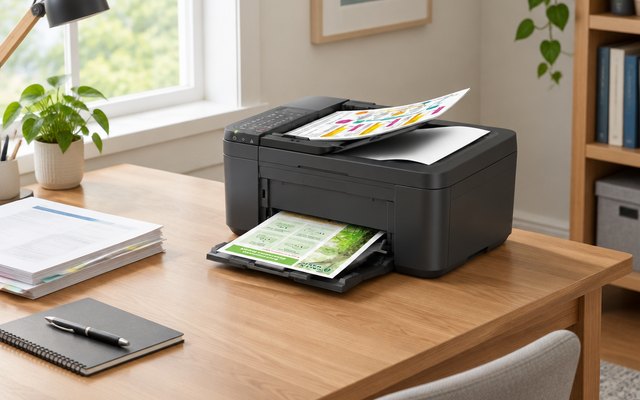
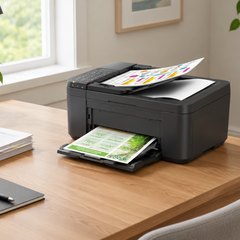
#3Canon PIXMA TR4755i All-in-One Printer
£69.99 RRP
- 20-sheet document feeder
- Automatic two-sided printing
- Two-year warranty
Handy for home admin: a 20-sheet document feeder copies and scans a stack of pages without lifting the lid for each one, it prints both sides automatically, and it still sends faxes.
What owners say: Owners say it was quick to get going and copes with thick card as well as everyday paper. Wi-Fi, print quality and how fast it gets through ink all divide them.
A closer look: Keep the glass for photos, receipts and pages from a book, and let the feeder take loose sheets. Canon’s optional PIXMA Print Plan sends ink by subscription, and the PG-575 and CL-576 cartridges also come in XL sizes for heavier use. It joins 2.4GHz Wi-Fi only, so choose the router’s 2.4GHz network during setup if the two bands show up separately.
Best for: Built-in fax
- Type
- Colour inkjet
- Functions
- Print, scan, copy, fax
- Black print speed
- 8.8ppm
- Document feeder
- 20 sheets
- Paper tray
- 100 sheets
- Cartridges
- Black and one tri-colour: PG-575, CL-576
- XL cartridges
- PG-575XL, CL-576XL
- Prints from a Chromebook
- Yes
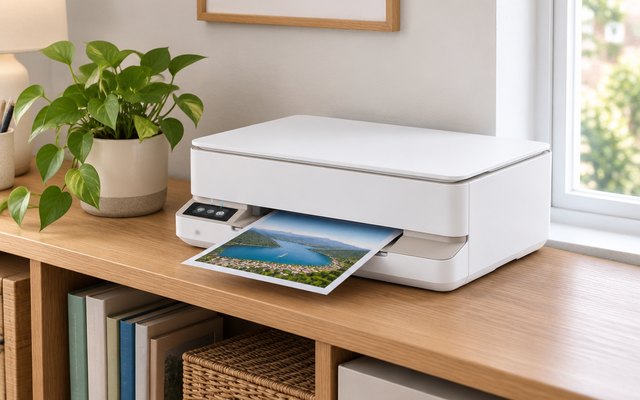
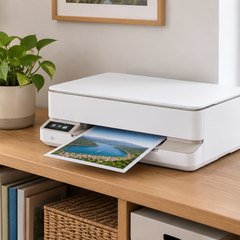
#4HP Envy 6120e All-in-One Printer
£50–£75
- Two-sided borderless photo printing
- 6.1cm colour touchscreen
- Dual-band, self-reconnecting Wi-Fi
- Works only with HP-chipped cartridges
A tidy all-in-one with a colour touchscreen and dual-band Wi-Fi that reconnects by itself, and it prints borderless photos on both sides, so a photo card can carry a message on the back.
What owners say: Owners mention clear prints when it’s running well, but experiences are mixed: some have had it refuse to print, and setup and the Wi-Fi connection go smoothly for some and not for others.
A closer look: Setting it up with HP+ adds a second year to HP’s warranty, and the HP app’s mobile fax sends documents from a phone. At up to 10 pages a minute it’s steady rather than quick, so it suits occasional letters, forms and photos more than long reports.
Best for: Double-sided photo prints
- Type
- Colour inkjet
- Functions
- Print, scan, copy
- Black print speed
- 10ppm
- Document feeder
- No
- Paper tray
- 100 sheets
- Cartridges
- Black and one tri-colour: HP 308
- XL cartridges
- Higher-yield black only: 308e EvoMore
- Prints from a Chromebook
- Yes
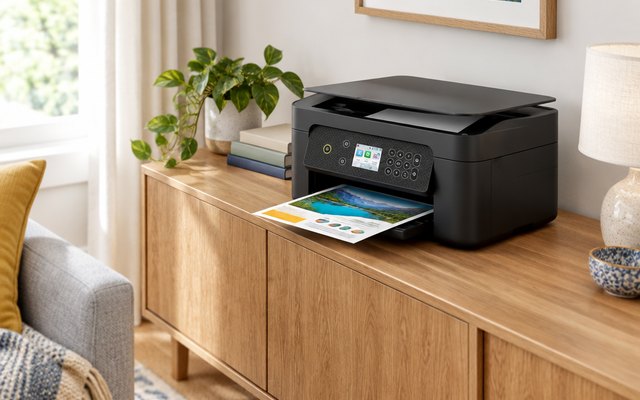
#5Epson Expression Home XP-4200 All-in-One Printer
£50–£75
- Separate cartridge for each colour
- Compact at 37.5cm wide
- 6.1cm colour screen
Each of its four colours has its own cartridge, so only the one that runs dry needs replacing, and the 6.1cm colour screen makes copying without a computer simple. Epson’s name means ‘son of EP’, after the EP-101 of 1968, the first electronic mini-printer.
What owners say: Owners find the Smart Panel app makes printing and scanning from a phone easy day to day. Print quality, the Wi-Fi connection and reliability get mixed reports.
A closer look: The XL version of the 604 black cartridge gives more than three times as many pages as the standard one, which suits anyone printing most weeks. After a few weeks unused, run a nozzle check before an important print, and note that Epson’s ReadyPrint ink subscription is optional.
Best for: Swapping one colour at a time
- Type
- Colour inkjet
- Functions
- Print, scan, copy
- Black print speed
- 10ppm
- Document feeder
- No
- Paper tray
- 100 sheets
- Cartridges
- Four, one per colour: 604
- XL cartridges
- 604XL
- Prints from a Chromebook
- –
Side by side
How they compare
Swipe sideways or rotate device to see all 5.
| Feature | #1Brother HL-L2400DWE | #2HP LaserJet M235sdw | #3Canon PIXMA TR4755i | #4HP Envy 6120e | #5Epson XP-4200 |
|---|---|---|---|---|---|
| Best overall | Best budget | ||||
| Picked Rating | 8.6 | 8.5 | 8.2 | 8.1 | 8.1 |
| Price | £75–£100 | £100–£150 | £69.99 RRP | £50–£75 | £50–£75 |
| Type | Mono laser | Mono laser | Colour inkjet | Colour inkjet | Colour inkjet |
| Functions | Print only | Print, scan, copy | Print, scan, copy, fax | Print, scan, copy | Print, scan, copy |
| Black print speed | 30ppm | 27ppm | 8.8ppm | 10ppm | 10ppm |
| Document feeder | No | 40 sheets | 20 sheets | No | No |
| Paper tray | 250 sheets | 150 sheets | 100 sheets | 100 sheets | 100 sheets |
| Cartridges | Black toner: TN2510 | Black toner: HP 135A | Black and one tri-colour: PG-575, CL-576 | Black and one tri-colour: HP 308 | Four, one per colour: 604 |
| XL cartridges | TN2510XL | HP 135X | PG-575XL, CL-576XL | Higher-yield black only: 308e EvoMore | 604XL |
| Prints from a Chromebook | Yes | – | Yes | Yes | – |
| Best for | Fast black-and-white pages | Scanning big stacks | Built-in fax | Double-sided photo prints | Swapping one colour at a time |
| Buy now | Amazon | Amazon | Amazon | Amazon | Amazon |
How we checked these
How 63 became 5
We found 63 printer listings. Forty-nine were rated too low and/or had too few ratings to compete. That left 14, which we narrowed down step by step:
- Ratings, reviews and salesFor the 14, we then checked the ratings and reviews further, and how many people buy each one. Owners talked most about the Wi-Fi connection and how easy they are to set up, then print quality and how reliable they are. After these checks, we dropped six more. Owners of one of them reported a difficult setup, slow printing and printers that failed.8 left
- Sold newOne was dropped because its listing offered it used, not new, when we checked.7 left
- Features weighed upThe seven left were compared on the type of printer, what each one does, black print speed, document feeders, paper trays, cartridges, XL cartridges and whether they print from a Chromebook. Once everything was weighed up together, we dropped two more. We used the makers’ own figures for four of the five here.5 made the cut
- Value for moneyEvery printer here is worth what it costs. A dearer one is only here if it gives you more.
- Safe to buyEvery brand on this list was checked for safety recalls. None of these five printers has one.
Spotted a mistake or something out of date? Tell usBack to top


