Top 4 compared
The best Wi-Fi extenders
Wi-Fi that finally reaches the back bedroom, the loft room or the bottom of the garden.
89 checked · 4 made the cut

As an Amazon Associate we earn from qualifying purchases. It costs you nothing extra. How this works
The top 4 at a glance
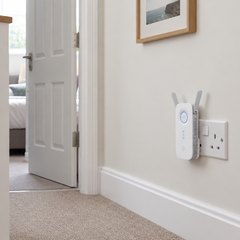
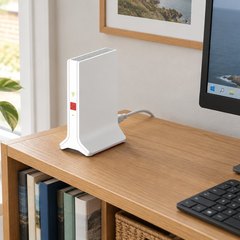
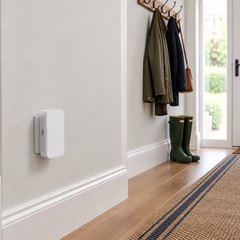
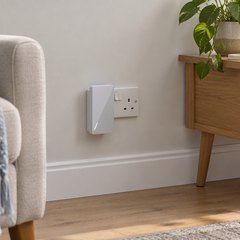
An extender sits between the router and a room the signal struggles to reach, picks up the router’s Wi-Fi and passes it on. It’s the quick fix for one weak spot, such as a back bedroom, a loft conversion or a garden office; a house with weak spots everywhere is a job for a mesh Wi-Fi system instead. Most plug straight into a wall socket; a few stand on a shelf with a power adapter of their own.
Put it where the router’s signal is still good, about halfway to the weak spot, rather than in the dead spot itself. Each one here works with any common router, and can also join a mesh with routers from its own maker, so phones and laptops move between the two on one network name instead of hopping between two networks.
What matters
- Wi-Fi 6 pays off with a Wi-Fi 6 router and newer devices.
- A gigabit Ethernet port for a console or desktop on fast fibre.
- A signal light or app to show the socket is a good one.
- Access point mode, to run it off a network cable instead.
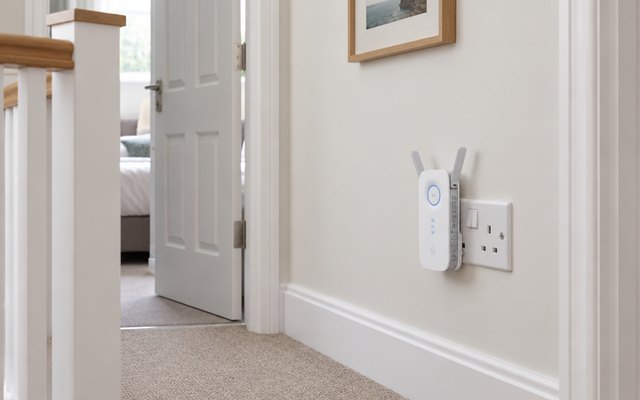
#1TP-Link RE550 AC1900 Wi-Fi Extender
£30–£50
- 1,300 Mbps on 5GHz
- Three adjustable external antennas
- Gigabit Ethernet port
- No Wi-Fi 6
Three adjustable antennas and dual-band Wi-Fi 5 in a plug-in unit, with a gigabit port for a smart TV or console, and it meshes with TP-Link’s OneMesh and EasyMesh routers. The FRITZ!Repeater below, a dearer tri-band unit for a shelf, needs a FRITZ!Box for its mesh.
What owners say: Owners describe Wi-Fi reaching the far end of the house and out into the garden, with downloads quick again.
A closer look: Plug it in roughly halfway between the router and the weak spot, then try a socket nearer the router if the signal light shows a poor link. Angling the three antennas in different directions spreads the coverage, and TP-Link’s Tether app handles setup from a phone.
Best for: Adjustable antennas
- Wi-Fi standard
- Wi-Fi 5
- Bands
- Two: 2.4GHz and 5GHz
- Top 5GHz speed (maker’s figure)
- 1,300 Mbps
- Ethernet port
- Gigabit
- Access point mode
- Yes
- Mesh with
- OneMesh, EasyMesh
- Signal light for placement
- Yes
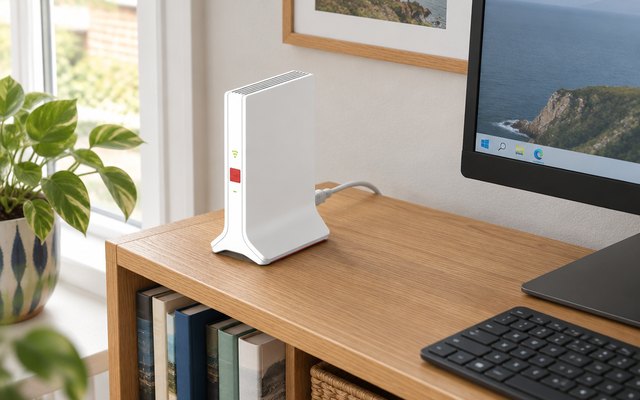
#2FRITZ!Repeater 3000 AX
£150–£200
- Two gigabit Ethernet ports
- Tri-band Wi-Fi 6 with 160MHz
- App shows where to place it
- Needs a shelf and power adapter
Three radios, two on 5GHz and one on 2.4GHz, share the work between the router and everything connected, and two gigabit ports take a TV, games console or desktop by cable.
What owners say: Owners found it simpler to set up than earlier extenders, and say it slots neatly into a FRITZ!Box mesh with a strong signal on both bands.
A closer look: Unlike a plug-in extender, it stands on a shelf with its own power adapter, so it needs a socket and a flat surface roughly halfway between the router and the rooms that struggle. AVM’s Wi-Fi app guides the setup and helps find the best spot for it. It works with any common router, but FRITZ!’s mesh, which runs router and repeater as one network, needs a FRITZ!Box.
Best for: Two wired devices
- Wi-Fi standard
- Wi-Fi 6
- Bands
- Three: 2.4GHz and two 5GHz
- Top 5GHz speed (maker’s figure)
- 2,400 Mbps
- Ethernet port
- 2 x gigabit
- Access point mode
- LAN bridge
- Mesh with
- FRITZ!Box mesh
- Signal light for placement
- Yes
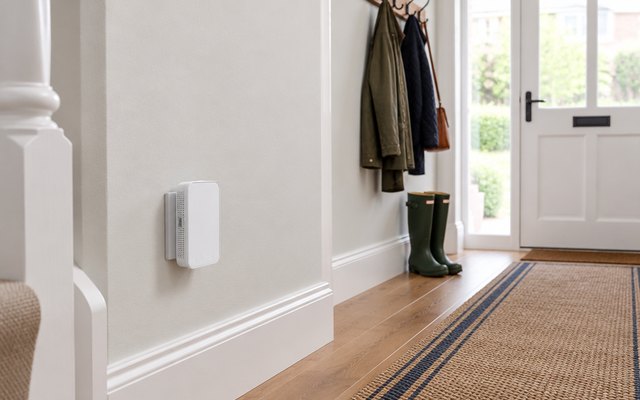
#3TP-Link RE330 AC1200 Wi-Fi Extender
£20–£30
- Signal light shows best socket
- Meshes with EasyMesh routers
- Three-year warranty
- 10/100 Ethernet port only
- No Wi-Fi 6
A small wall-plug extender with dual-band Wi-Fi 5, a signal light that helps find the right socket and an Ethernet port for a TV or games console; with a OneMesh or EasyMesh router it joins the home network rather than running one of its own.
What owners say: Owners say it works straight out of the box, sets up easily and gets Wi-Fi to places it never reached, out to the garden and the summerhouse, though some found the link patchy.
A closer look: Its Ethernet port runs at up to 100 Mbps, plenty for streaming to a TV, though a console or desktop on a fast fibre line gets more from a gigabit port. High Speed Mode uses both Wi-Fi bands together for one quicker link, worth trying for streaming in the far room.
Best for: Cost friendly
- Wi-Fi standard
- Wi-Fi 5
- Bands
- Two: 2.4GHz and 5GHz
- Top 5GHz speed (maker’s figure)
- 867 Mbps
- Ethernet port
- 10/100
- Access point mode
- Yes
- Mesh with
- OneMesh, EasyMesh
- Signal light for placement
- Yes
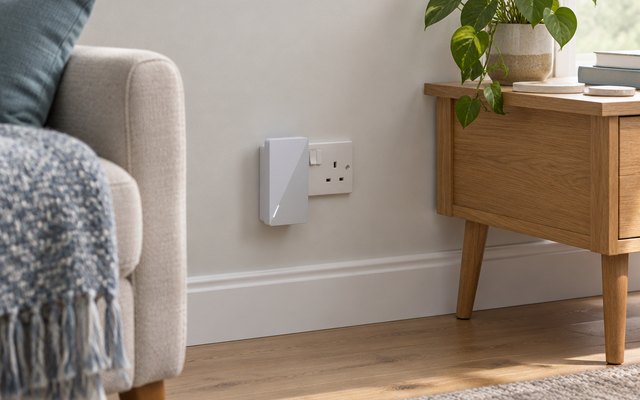
#4ASUS RP-AX58 AX3000 Wi-Fi 6 Extender
£59.99 RRP
- Wi-Fi 6 with 160MHz channels
- 2,402 Mbps on 5GHz
- Gigabit Ethernet port
Wi-Fi 6 with 160MHz channels for quicker links to newer phones and laptops, and with an ASUS router it joins as an AiMesh node, so the house shares one network run from the ASUS Router app.
What owners say: Owners report fast, full-strength Wi-Fi out to the driveway and garden, with devices moving to the stronger signal by themselves.
A closer look: In media bridge mode it works the other way round, taking Wi-Fi in and passing it by cable to a TV, console or desktop without wireless of its own. Phones and laptops with Wi-Fi 6 get the most from it, while older devices still connect as normal.
Best for: ASUS routers
- Wi-Fi standard
- Wi-Fi 6
- Bands
- Two: 2.4GHz and 5GHz
- Top 5GHz speed (maker’s figure)
- 2,402 Mbps
- Ethernet port
- Gigabit
- Access point mode
- Yes
- Mesh with
- ASUS AiMesh
- Signal light for placement
- Yes
Side by side
How they compare
Swipe sideways or rotate device to see all 4.
| Feature | #1TP-Link RE550 | #2FRITZ!Repeater 3000 AX | #3TP-Link RE330 | #4ASUS RP-AX58 |
|---|---|---|---|---|
| Best overall | Best premium | Best budget | ||
| Picked Rating | 8.6 | 9.3 | 8.3 | 8.0 |
| Price | £30–£50 | £150–£200 | £20–£30 | £59.99 RRP |
| Wi-Fi standard | Wi-Fi 5 | Wi-Fi 6 | Wi-Fi 5 | Wi-Fi 6 |
| Bands | Two: 2.4GHz and 5GHz | Three: 2.4GHz and two 5GHz | Two: 2.4GHz and 5GHz | Two: 2.4GHz and 5GHz |
| Top 5GHz speed (maker’s figure) | 1,300 Mbps | 2,400 Mbps | 867 Mbps | 2,402 Mbps |
| Ethernet port | Gigabit | 2 x gigabit | 10/100 | Gigabit |
| Access point mode | Yes | LAN bridge | Yes | Yes |
| Mesh with | OneMesh, EasyMesh | FRITZ!Box mesh | OneMesh, EasyMesh | ASUS AiMesh |
| Signal light for placement | Yes | Yes | Yes | Yes |
| Best for | Adjustable antennas | Two wired devices | Cost friendly | ASUS routers |
| Buy now | Amazon | Amazon | Amazon | Amazon |
How we checked these
How 89 became 4
We found 89 Wi-Fi extender listings. One was the same extender listed again, and 77 were rated too low and/or had too few ratings or sales to compete. One was outside what this list covers: an extender that only works with its maker’s own Wi-Fi system. That left 10, which we narrowed down step by step:
- Ratings, reviews and salesFor the 10, we then checked the ratings and reviews further, and how many people buy each one. Owners talked most about how easy they are to set up and how strong the signal is, then range, value for money and speed.
- Sold newOne was dropped because its maker had stopped selling it.9 left
- Made for the UKFour were dropped because they were versions made for other countries or didn’t say they came with a UK plug.5 left
- Features weighed upThe five left were compared on Wi-Fi standard, bands, top speed on 5GHz, Ethernet port, access point mode, which mesh systems they work with and a signal light to help place them. Once everything was weighed up together, we dropped one more. We used the makers’ own figures for three of the four here.4 made the cut
- Value for moneyEvery Wi-Fi extender here is worth what it costs. A dearer one is only here if it gives you more.
- Safe to buyEvery brand on this list was checked for safety recalls. None of these four Wi-Fi extenders has one.
Spotted a mistake or something out of date? Tell usBack to top